
What Is Schema Markup? & How to Add It to Your Site

Having great content on your website does not matter if the search engines cannot interpret its meaning. Schema Markup bridges the gap between by clearly labelling your content, whether it is a product review, recipe, product, or an event. Thus, helping you rank higher on the Search Engine Results Pages (SERPS) with 17% increased click-through rate.
Thus, let’s deeply understand Schema Markup, the types, how it works, how you can add Schema Markup to your website within easy steps, why it is important, and effective methods for implementation.
Table of Contents
What is Schema Markup and Types?

To put it simply, Schema Markup is a type of code that you add to your website to help search engines and AI assistants understand your content better and suggest it when users search for queries. It helps increase your visibility on the Search Engine Results Pages (SERPs) by providing structured context to your content, clarifying what it represents.
There are over 790 Schema Markup in the Search Engine Optimization (SEO) practice. But you do not have to stress over it, because you do not need to implement all of these, as there are only 8 to 10 schema types that are commonly used. And what you need for your website.


Here are the List of types of Schema Markup:
1. Article Schema
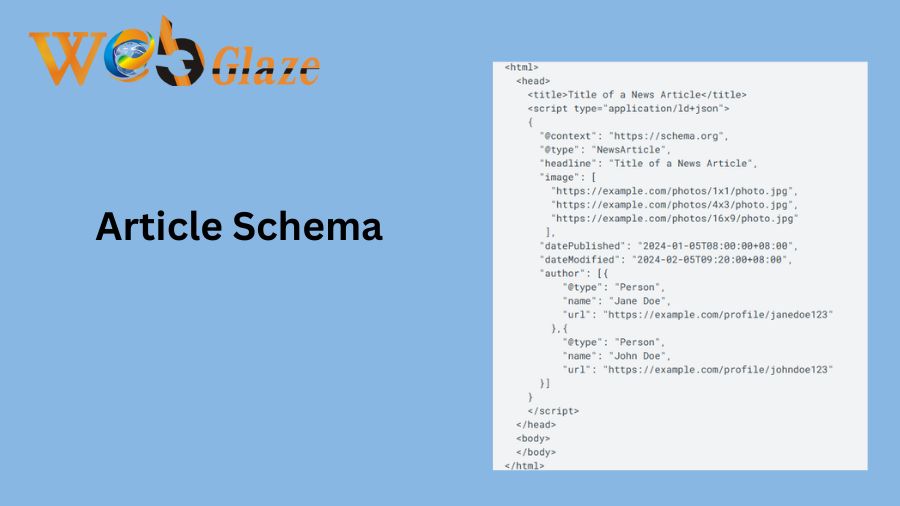
- Used For: Articles, blogs, guides, and news articles.
- What It Tells Search Engines: Who wrote it, when it was posted or updated (the dates).
- Benefits:
- Tells the crawlers what exactly it is, reducing misinterpretations or ambiguity.
- Helps your content rank in Google News, Top Stories, and rich snippets.
- Increase the rate through clicks by building interest, authority, and trust.
2. Product Schema

- Used For: E-commerce product pages, enhanced listings such as star ratings, price, and more.
- What It Tells Search Engines: Name, description, price and currency, shipping, returns, ratings, and more.
- Benefits: Higher click-through rates, enhances product visibility, and increases trust and authority among potential customers.
3. Local Business Schema
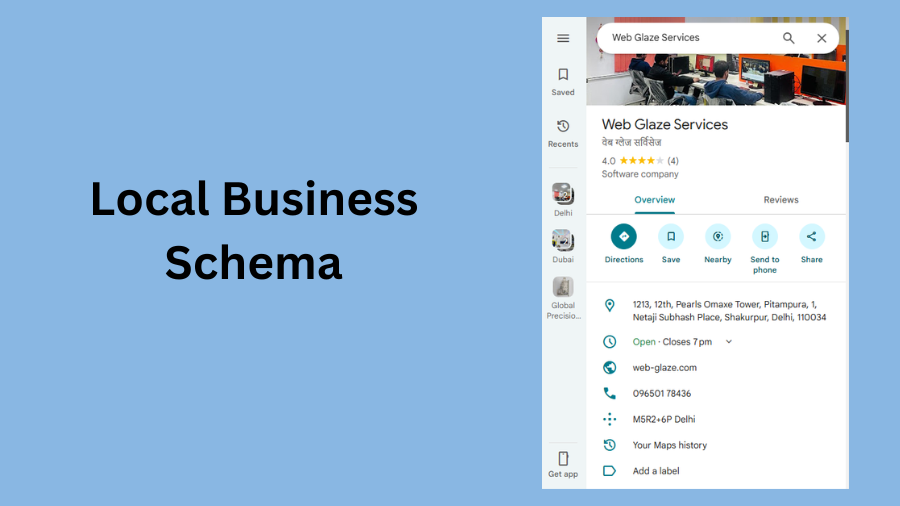
- Used For: Often used for local businesses, including shops, restaurants, cafes, stationery, and more.
- What It Tells Search Engines: Business name, address, availability, opening and closing hours, ratings, owner and contact information, location, services, etc.
- Benefits: Improves visibility of the local businesses, click-through rates, and competitive advantage.
4. FAQs Schema
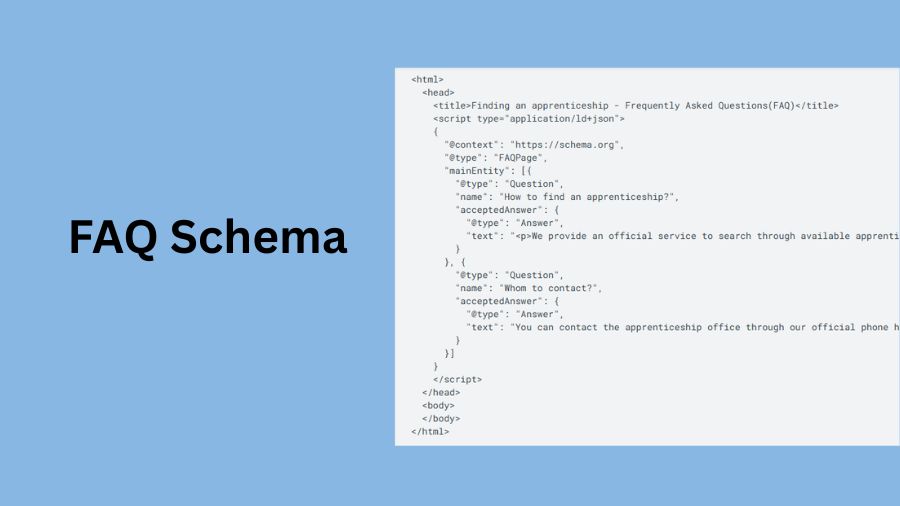
- Used For: Website pages with frequently asked questions and answers or queries that users often ask.
- What It Tells Search Engines: It tells the questions that people or users frequently ask on a specific topic with direct and concise answers.
- Benefits: Increases click-through rate by 15% to 30%, according to data, increases visibility within a short period, and helps set authority over competitors.
5. Breadcrumb
- Used For: Website pages with a structured navigation throughout their pages.
- What It Tells Search Engines: It sets a hierarchy system in your website, telling search engines which is the parent and which is the child page. For example, “Home > Clothing > Shirt > Men.”
- Benefits: It makes interpretation easy for crawling spiders by acting like an internal linking structure within your website.
Other types include Recipe, Video, Person, Event, and Organisation schema.
How to Implement Schema Markup on Your Site?

To add Schema Markup to your website, you do not need to be a professional coder; it does require JSON-LD, but it can be obtained through plugins and AI tools. Follow these steps to add Schema Markup to your website:
1. Identify the Type
In the first step, identify what type of schema you are required to use. Is it for a product, article, FAQ, or breadcrumb? This will help you choose and separate the types of schemas that we have explained above.
2. Structured Data Markup Helper
Go to Structured Data Markup Helper by Google, and paste your link by clicking on “start tagging” for further processing.
3. Markup Your Page
Use the tool given, and select the section that you want to markup. Select the sentence or the part, right click, and select the type you want to choose from Title, Author, Date Published, Image, and Article Body. Left click and you’re done on the third step.
4. Generate the HTML Code
After you are done tagging the schemas, click on “Create HTML” at the top right of the screen. The Structured Data Markup Helper will generate an automatic JSON-LD code, which you can use further for your website.
5. Implement the Markup in Your Website
To add the Schema Markup on your website, you can use Content Management Systems (CMS) like the one Web Glaze Services provides for a user-friendly schema interface and process. You can use the built-in plugins of the specific CMS, for WordPress, there are Yoast SEO, Schema Pro, Rank Math, and more.
6. Add the JSON-LD Manually
Add the auto-generated JSON-LD manually within the <head> or <body> sections of your website’s source code inside <script type=” application/ld+json”>. This process, indeed, requires a bit of technical knowledge, as potential errors can lead to data loss. That’s why consulting SEO experts in India is the way to go.
7. Test and Validate Your Schema
After adding a schema to your website, you must test it to ensure that it is free from errors and ready for easy and rich search engine results. To do that, follow these steps:
- Visit the Rich Results Test by Google.
- Paste your generated markup schema link under the “Enter a URL to Test” or “Paste Code to Test” section.
- Right-click on “Test URL or Code.”
- After you click, it will show an interface on the right side of the screen with “1 valid item detected.”
- In case your code requires changes, the tool will suggest on the bottom right of the screen under “Details.”
- Then, you can directly edit or fix the errors on the left side of the screen and verify them by clicking “Run Test.”
Implementation Methods for Schema Markup
Here are three methods to implement Schema Markup on your website:
1. Manual Implementation
In the manual implementation, you write or use AI tools to write the JSON-LD within the <script type=” application/ld+json”> tag under the <head> or <tags> section.
- Pros: You have full control over the code for nested and complex schemas.
- Cons: It requires technical knowledge.
2. CMS Plugins
Here, you utilize the available plugins of the Content Management Systems (CMS). You can purchase those plugins and use their extensive schema markup services.
- Pros: Zero percent technical knowledge is required.
- Cons: They provide limited schemas, and too many plugins can potentially slow down the website as well.
3. Google Tag Manager (GTM)
Google Tag Manager (GTM) allows you to add the Schema Markup to your website without requiring the need to edit the source code, protecting your site’s data.
- Pros: It is ideal for large amounts of schema markup.
- Cons: You are required to have knowledge of GTM and JavaScript.
Conclusion
Schema Markup helps search engines such as Google, Yahoo, and LLMs interpret your content, helping them surface more accurately for users’ queries. It allows you to structure products, reviews, ratings, product prices, range, availability, articles, blogs, and more. This process helps your website improve its visibility, authority, trust, and click-through rate (CTR). This guide explains what Schema Markup is and how you can add it to your website, helping you use it effectively and conveniently.
Web Glaze Services is leading as a Digital Marketing agency in India. We are renowned for offering tailored services for Schema Markup, whether it is for article schema, product schema, local business schema, breadcrumb, or an organization’s schema. Additionally, we cater to our clients with the best practices for Content Marketing, SEO, Web Development, SMO, and more. Thus, you can contact us and acquire your consistent support and guidance for Schema Markup and overall Digital Marketing.
Also Read: Digital Marketing Strategy in India 2026: Trends, Challenges & Growth Opportunities

